












Have you ever wanted to see yourself as a cartoon character? ⭐ Or maybe you're looking to make your social media profile stand out with a fun, animated avatar? Thanks to modern AI tools, turning a photo into a cartoon is now easier than ever! In this blog, we'll walk you through the process, introduce the best AI tools for the job, and share some cool tips to get amazing results. Ready to cartoonize your favorite photo? Let's dive in! 🎨
In This Article
01 What AI Tools You Need
1. LitVideo 💡 (Highly Recommended!)
LitVideo is an advanced AI video & image generator available on web, iOS, and Android. Its ‘image to image' feature is perfect for cartoon transformations:
- Upload your photo.
- Enter prompts like "turn this photo into cartoon" or specify styles.
- Select how many cartoons you want (1-4).
- Instant results—just hit "Create"!

LitVideo offers access to innovative models like Nano Banana and flux.1, plus hundreds of unique AI effects. You can explore cartoon, anime, comic book styles, and more.
2. ToonMe
A popular app for both web and mobile, ToonMe lets you cartoonize photos in a snap.
- Just upload a selfie and pick your favorite cartoon style.
- It's beginner-friendly, with plenty of preset styles to experiment with.
3. Cartoonify
Cartoonify is a simple online tool that transforms images to cartoons using AI.
- It includes some drawing customization options.
- Great if you want quick, web-based results with basic editing.
Have you tried any of these tools before? Let us know in the comments! 💬
02 Step-by-Step Guide: How to Turn a Photo into a Cartoon
Let's walk through the process, using LitVideo as our example. You can follow similar steps with other tools!


✨ Pro Tip: Experiment with different models and prompts to find your perfect cartoon look.
03 Popular Cartoon Styles That You Can Transform
With AI, you're no longer limited to just one cartoon style. Here are some trendy options you can try:
- Anime: Big eyes, vibrant colors, perfect for fans of Japanese animation.
- Comic Book: Bold lines and dramatic shading for a superhero vibe.
- Disney/Pixar: Soft, expressive features for a magical feel.
- Classic Cartoon: Retro aesthetics inspired by cartoons from the past.
- Modern Art: Unique, artistic renditions for trendy profiles.
Which style do you like best? Drop your favorite in the comments! 👇
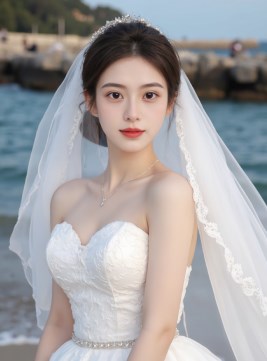
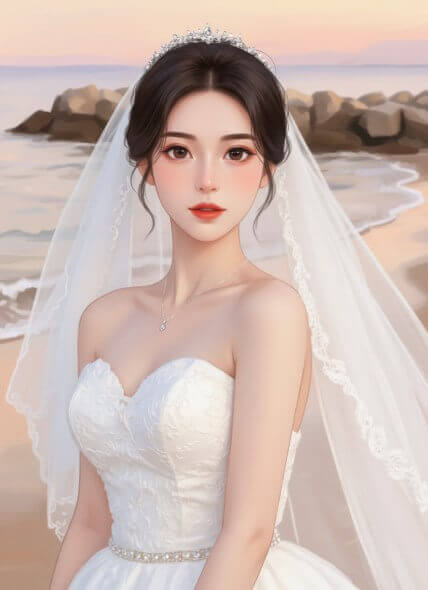
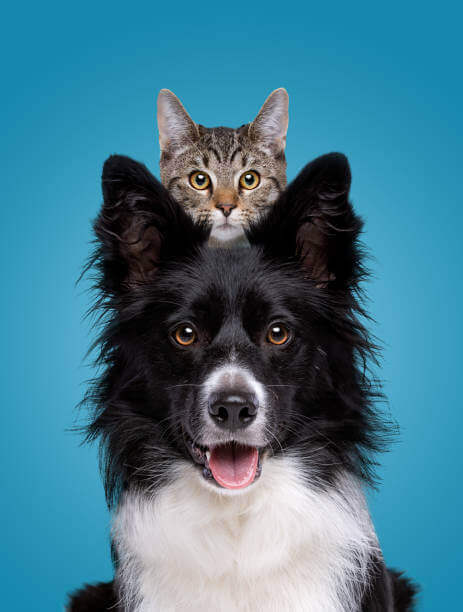
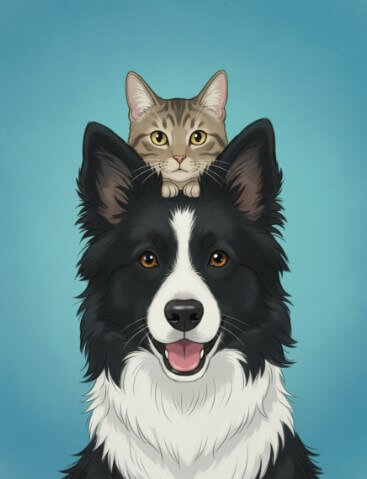
04 Showcase: Before and After Examples
Nothing speaks louder than results. Imagine transforming a regular portrait into a cartoon masterpiece:
| Before | After |
|---|---|
|
|
| Before | After |
|---|---|
|
|
| Before | After |
|---|---|
|
|
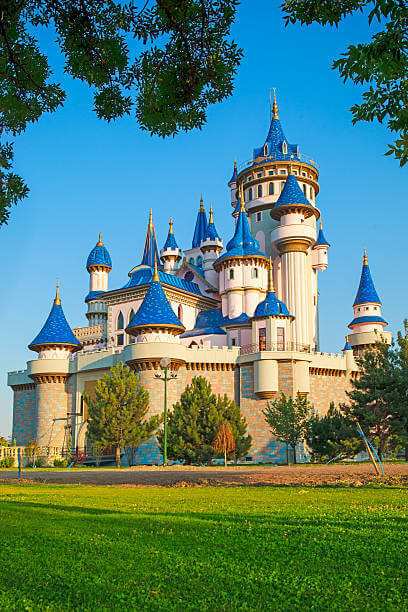
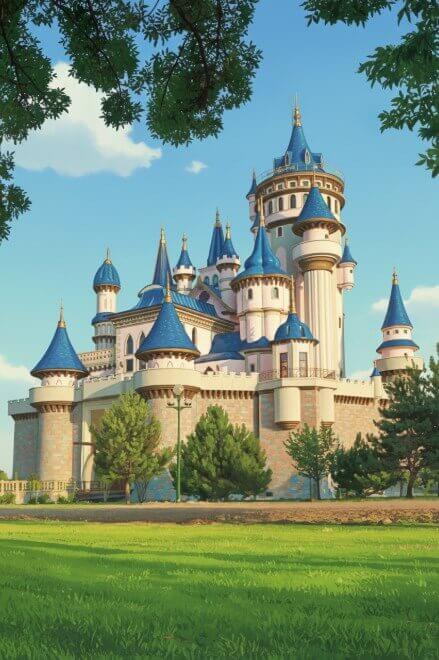
Check out the transformation! Notice the smooth lines, artistic colors, and the fun personality that shines through.
If you'd like to see your own photo featured in a future post, send us your results! 📸✨
05 Frequently Asked Questions
1. Is LitVideo free to use?
LitVideo offers both free and premium features. Every user owns free credits to experience it, with options to upgrade for more advanced models and effects.
2. Are my photos secure?
Privacy is a priority. LitVideo does not store your personal images after processing, ensuring your photos remain safe.
3. What image formats does LitVideo support?
Common formats like JPG, PNG, and BMP are supported. For best results, use high-resolution images.
4. Can I edit or enhance my cartoon image after it's generated?
Yes, you can further edit your cartoon images using graphic design tools or apps for filters, text, or additional effects.
Conclusion
So there you have it—a fun and easy way to turn any photo into a cartoon using AI! Whether you want an anime avatar, a comic book hero, or a unique new profile pic, tools like LitVideo make it possible in just seconds. 🎉 Why not give it a try today and see which cartoon version of yourself you like best?
Share article:


