












AI-powered video generation has entered a new era with the release of Google Veo 3. Whether you're a marketer, creative professional, or tech enthusiast, understanding how Google Veo 3 works—and how to leverage its innovative features—can help you unlock a world of possibilities. This comprehensive guide explores what Google Veo 3 is, its key features, access methods, and answers to popular user questions.

In This Article
01 What Is Google Veo 3?
Google Veo 3 is an advanced generative AI model developed by Google for creating high-quality videos from text prompts. Unlike earlier models, Veo 3 not only generates lifelike video but also produces rich, synchronized audio, including speech, sound effects, and music—all from a single prompt. This advancement significantly lowers technical barriers, enabling creators to produce engaging visual content with ease.
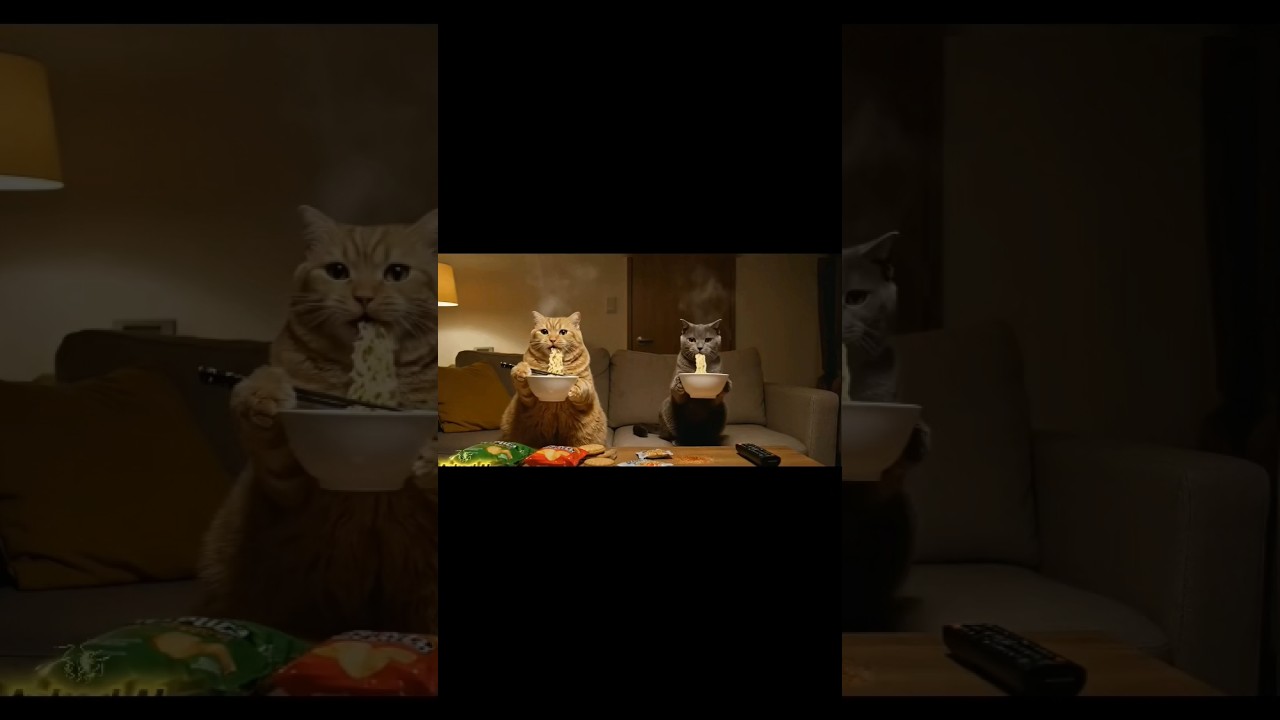
Here's an AI funny video created with Google Veo 3:
When Did Veo 3 Come Out?
Google officially announced Veo 3 on May 20, 2025, at the Google I/O 2025 event. Its release marks a pivotal moment in AI-driven video generation, bringing new capabilities to both individual creators and professional teams.
02 Key Features and Benefits of Google Veo 3
Veo 3 introduces numerous improvements over previous models. Below is a comparison of Veo 2 and Veo 3 model's key features:
| Feature | Veo 2 | Veo 3 |
|---|---|---|
| Video Generation | Yes | Yes |
| Maximum Clip Length | Up to 5 sec | Up to 8 sec |
| Synchronized Audio | No | Yes (speech, FX, music) |
| Natural Dialogue | Basic | Enhanced, realistic |
| Creative Control | Moderate | High (scene, character, style prompts) |
| Branding and Storytelling | Limited | Full (sound effects, voiceovers, etc.) |
| Public Preview Availability | Restricted | Broad, on Vertex AI |
| Mobile Access | No | Yes, via Gemini app |
| Digital Watermarking | Limited | SynthID in every frame |
Key Benefits:
- Enhanced Accessibility: Veo 3 is available for public preview, democratizing high-quality video creation.
- Rich Audio Integration: Seamlessly add dialogue and sound effects, making content more immersive.
- Creative Flexibility: Detailed control over scenes, characters, and style ensures alignment with your creative vision.
- Brand-Ready Output: Ideal for marketing, social campaigns, and content creation pipelines.
03 How to Access Google Veo 3
Today, there are multiple convenient ways to access Google Veo 3 for AI video generation. One of the best and most versatile platforms to use is LitVideo—an all-in-one AI video generator that integrates several cutting-edge models, including Veo 3, Vidu AI, Kling AI, and Jimeng AI. With LitVideo, users can easily transform images into videos, convert text prompts to dynamic video content, or even extend AI-generated video clips.
Recommended ways to access Google Veo 3:
- LitVideo✨: The smartest choice for creators. LitVideo enables direct access to Veo 3 along with other advanced video models in one unified platform. You can unlock features like text-to-video, image-to-video, and video extension powered by Veo 3's latest capabilities.
- Gemini App: Try short video generation using the Gemini AI app, available on both web and mobile. The app offers limited free trials and premium features.
- Vertex AI Media Studio: Google Cloud customers and partners can use Veo 3 through the Vertex AI Media Studio's public preview program for extensive experimentation.
- Flow by Google: Designed for professional filmmakers, Flow lets you use Veo 3 within an advanced AI film creation suite.
- Special Offers: Keep an eye out for free trial packs and exclusive offers available on select platforms, including LitVideo.
04 How to Use Google Veo 3✨
Once you have access to Google Veo 3, making the most of its advanced video generation features is simple—especially when using LitVideo. Here's a step-by-step guide to get you started:
Sign up or log in to LitVideo. Select Google Veo 3 from the available AI models.

- For text-to-video: Type in a detailed description of your desired video (e.g., "A peaceful mountain sunrise, clouds drifting, birdsong in the air.").
- For image-to-video: Upload a reference image to transform it into a dynamic video with Veo 3's generative power.
Adjust parameters such as style, video duration, frame rate, or add further creative prompts. LitVideo allows additional customization for even more control over the final output.

Hit the "Create" button. Veo 3 will process your input and return a high-quality video preview, complete with rich synchronized audio, thanks to LitVideo's streamlined workflow.
Download the finished video to your device or share it directly to social platforms—all within the LitVideo interface.
05 More Popular Questions of Google Veo 3
01 Is Veo 3 available to the public?
Yes, Veo 3 is in public preview for all Google Cloud customers on Vertex AI, and accessible via the Gemini app and Flow in many regions.
02 How much is Google Veo 3?
Access to Veo 3 varies. Gemini and Vertex AI may offer limited free trials and usage packs. For full, ongoing access, you may need a subscription to Google AI Pro or a similar plan.
03 Where to use Veo 3 for free?
Some users can access Veo 3 for free during public previews, extended free trials, or via limited Gemini app trial packs. Always check the latest offers on Google Cloud, Gemini app, or special events.
04 Can Veo 3 generate longer videos?
Currently, Veo 3 supports generating video clips up to 8 seconds long. For longer projects, you can sequence multiple clips or use Flow for advanced workflows.
05 Is the output from Veo 3 watermarked?
Yes, all videos generated with Veo 3 are marked with SynthID, a digital watermark embedded in every frame to indicate AI-generated content.
Conclusion
Google Veo 3 signals a new era in generative video creation—offering powerful, user-friendly tools for anyone looking to bring their stories to life with audio-rich, high-quality AI videos. Whether you're building marketing assets or experimenting with creative storytelling, Veo 3 is a tool worth exploring. Stay tuned for further enhancements and wider access options as generative video AI continues to evolve.
Share article:


