











AI video generation is evolving faster than ever, and Seedance 2.0 quickly became one of the most talked-about AI video models thanks to its smooth motion quality, strong prompt understanding, and multi-reference generation workflow.
However, many creators are now searching for Seedance 2.0 alternatives for a much simpler reason: accessibility and workflow flexibility.
Some users cannot access Seedance 2.0 reliably. Others need faster rendering, better editing workflows, stronger cinematic visuals, or more affordable pricing. And with rapid changes happening across the AI video industry, creators increasingly want platforms that let them test multiple AI models instead of relying on a single ecosystem.
In this guide, we’ll break down the best Seedance 2.0 alternatives you can actually use in 2026, compare their strengths and weaknesses, and show you where to access multiple top AI video models in one place using LitMedia LitVideo.
In This Article
01 5 Seedance 2.0 Alternatives You Can Actually Use
- What to Look for in a Seedance 2.0 Alternative
- 1.Happy Horse 1.0 — Best for Open-Source AI Video Generation
- 2. Veo 3.1 — Best for Cinematic Video Quality
- 3. Kling 3.0 — Best for Character Consistency
- 4. PixVerse 6.0 — Best for Fast Social Media Videos
- 5. Wan 2.7 — Best for Audio-Synchronized Videos
02 Quick Comparison Table: Best Seedance 2.0 Alternatives in 2026
03 Where Can I Use These AI Models at One Payment?
04 How to Create Videos with Seedance 2.0 Alternatives & Comparison
Part 1: 5 Seedance 2.0 Alternatives You Can Actually Use
Before choosing a Seedance 2.0 replacement, it’s important to understand what actually makes a good AI video model.
Some tools are better for cinematic motion. Others focus on fast generation, social-ready content, or advanced camera controls. The best alternative depends on your workflow, content type, and how much control you need.
What to Look for in a Seedance 2.0 Alternative
| Comparison Factor | Why It Matters |
|---|---|
| Motion Quality | Smooth and natural movement makes videos look realistic |
| Prompt Understanding | Better prompt adherence means fewer failed generations |
| Character Consistency | Important for storytelling, ads, and multi-scene videos |
| Generation Speed | Faster rendering improves workflow efficiency |
| Audio Support | Native audio saves post-production time |
| Accessibility | Public access is often more important than benchmark scores |
| Editing Controls | Features like extend, reference images, and camera control matter for creators |
1.Happy Horse 1.0 — Best for Open-Source AI Video Generation
Happy Horse 1.0 has quickly become one of the most discussed Seedance 2.0 alternatives in 2026 because of its strong motion quality, native audio-video generation, and open-source positioning. Unlike many closed AI video systems, Happy Horse 1.0 focuses heavily on accessibility and developer flexibility, making it attractive for creators, studios, and AI enthusiasts who want more control over their workflows.

One of the biggest highlights of Happy Horse 1.0 is its unified audio-video architecture. The model can generate synchronized dialogue, ambient sound, and video together in one pass instead of relying on post-production syncing. It also supports multilingual lip-syncing and high-resolution 1080p output with relatively fast rendering speeds.
Key Features
- Native audio-video generation
- Text-to-video and image-to-video workflows
- 1080p cinematic output
- Strong multi-shot consistency
- Open-source model ecosystem
- Multilingual lip-sync support
- Faster rendering compared to many competitors
Pros
- Excellent motion realism and cinematic quality
- Strong character consistency across scenes
- More flexible for developers and advanced users
- Supports commercial usage and self-hosting workflows
Cons
- Availability and official access are still evolving
- More technical compared to beginner-friendly platforms
- Workflow can feel less polished for casual creators
Best For
- Open-source AI creators
- Developers and studios
- Cinematic short-form content
- Multi-shot storytelling workflows
Best For
Recent creator discussions suggest Happy Horse 1.0 performs especially well in motion consistency and reference-based generation, while Seedance 2.0 still remains stronger for some advanced cinematic control workflows.
2. Veo 3.1 — Best for Cinematic Video Quality
Veo 3.1 is one of the strongest alternatives to Seedance 2.0 for creators who prioritize cinematic visuals and advanced scene control.

Developed by Google, Veo 3.1 supports text-to-video, image-to-video, scene extension, and camera movement controls. It also supports high-resolution outputs and native audio generation, making it highly suitable for commercial video production.
Key Features
- Text-to-video and image-to-video generation
- Camera movement controls
- Native audio generation
- High prompt accuracy
- 1080p and 4K output support
Pros
- Excellent cinematic visuals
- Strong motion realism
- Great for commercial storytelling
Cons
- Limited availability in some regions
- Can require advanced prompting skills
Best For
- Brand videos
- Commercial ads
- Professional storytelling projects
3. Kling 3.0 — Best for Character Consistency
Kling 3.0 remains one of the closest competitors to Seedance 2.0 when it comes to multi-shot consistency and controllable motion generation.

It performs especially well in maintaining subject identity across scenes, making it useful for creators building narrative videos or recurring characters.
Key Features
- Multi-shot scene generation
- Strong subject consistency
- Text-to-video and image-to-video
- Reference-based workflows
Pros
- Consistent characters across scenes
- Smooth transitions
- Strong visual quality
Cons
- Slight learning curve for beginners
- Prompt tuning often required
Best For
- Story-driven content
- Character-based videos
- AI short films
4. PixVerse 6.0 — Best for Fast Social Media Videos
PixVerse 6.0 focuses on speed, accessibility, and social-ready content creation.
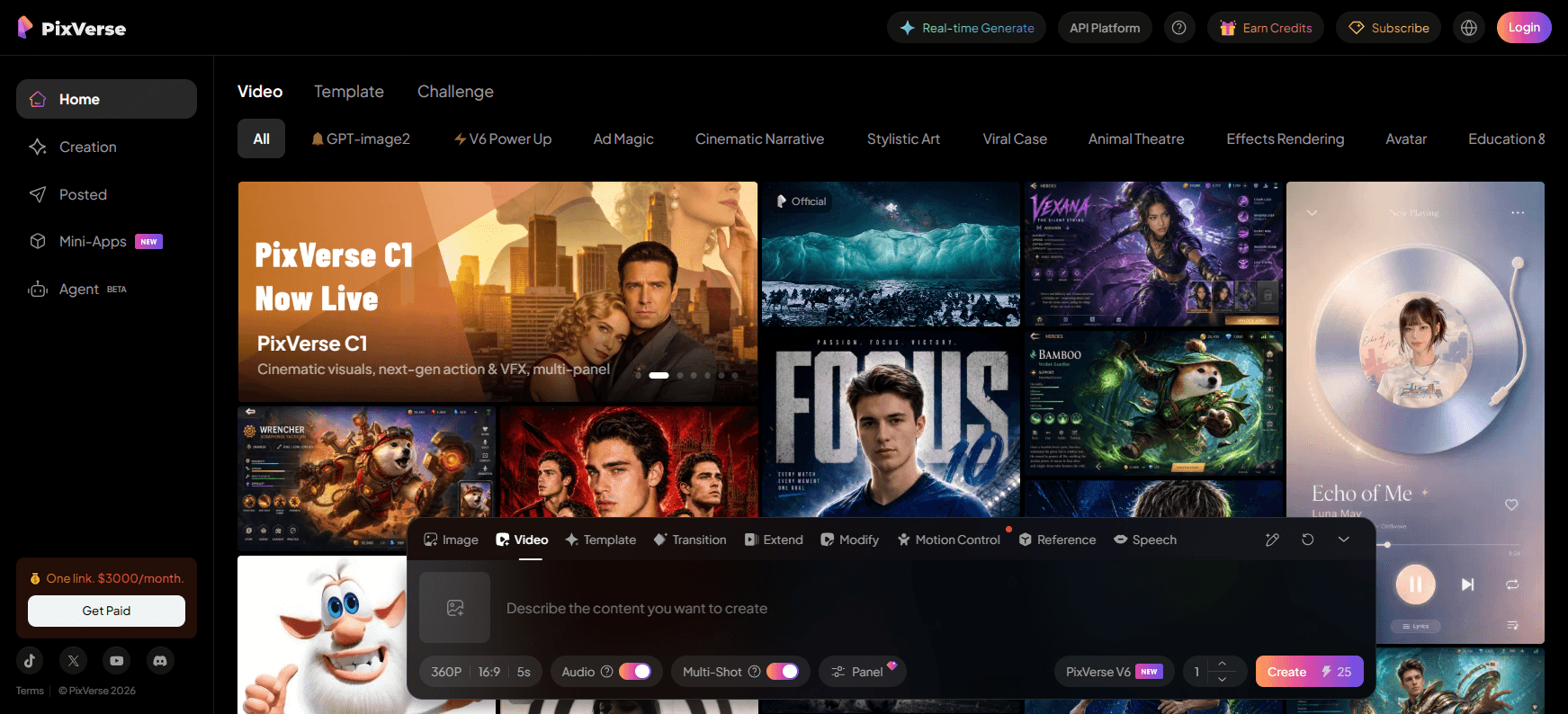
Compared to more cinematic AI models, PixVerse is optimized for creators who need fast results for TikTok, Shorts, Reels, and other short-form platforms.
Key Features
- Fast rendering
- Text-to-video generation
- Motion and camera controls
- Social-friendly output formats
- AI visual effects
Pros
- Very fast generation
- Beginner-friendly interface
- Great for viral content creation
Cons
- Less cinematic realism
- Output consistency varies
Best For
- TikTok videos
- YouTube Shorts
- Fast content creation
Wan 2.7 — Best for Audio-Synchronized Videos
Wan 2.7 stands out for its audio-visual synchronization capabilities.
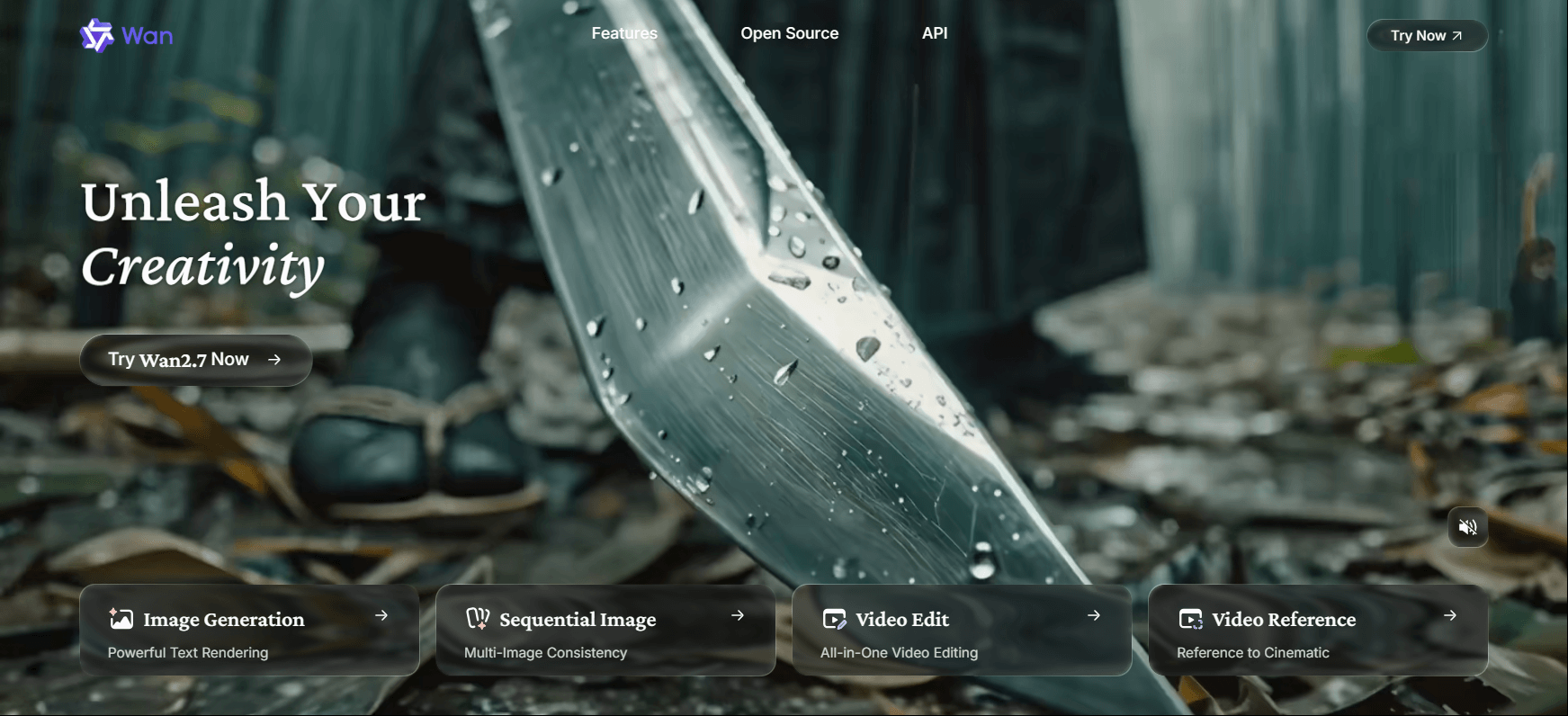
Unlike many AI video models that require separate lip-sync workflows, Wan 2.7 can generate synchronized speech and dialogue directly inside the video generation process.
Key Features
- Native audio generation
- Lip-sync synchronization
- Multi-scene storytelling
- Text and image input support
Pros
- Strong audio synchronization
- Useful for dialogue videos
- Stable scene continuity
Cons
- Weaker physics simulation
- Visual quality less cinematic
Best For
- Talking videos
- Explainer content
- Tutorial videos
Quick Comparison Table: Best Seedance 2.0 Alternatives in 2026
| AI Video Model | Best For | Native Audio | Multi-Modal Inputs | Character Consistency | Editing / Control Features | Accessibility |
|---|---|---|---|---|---|---|
| Seedance 2.0 | Cinematic motion & reference control | Yes | Text / Image / Audio / Video | ⭐⭐⭐⭐ | Advanced reference workflows | Limited |
| Veo 3.1 | Camera control & marketing videos | Yes | Text / Image / Video | ⭐⭐⭐⭐ | First/last frame control | Limited by region |
| Kling 3.0 Omni | Multimodal storytelling | Yes | Text / Image / Audio / Video | ⭐⭐⭐⭐ | Multi-shot workflows | Public |
| Wan 2.7 | Dialogue & audio synchronization | Yes | Text / Image / Video | ⭐⭐⭐ | Audio-visual sync | Region dependent |
| PixVerse 6.0 | Fast social-ready content | Partial | Text / Image | ⭐⭐⭐ | Motion & camera control | Public |
| Hailuo 2.3 | Short-form content creation | No | Text / Image | ⭐⭐⭐ | Fast generation | Public |
| Happy Horse 1.0 | Open-source cinematic generation | Yes | Text / Image / Audio / Video | ⭐⭐⭐⭐⭐ | Open-source customization | Growing availability |
Quick Recommendations
- Choose Veo 3.1 if you care about camera movement and scene control.
- Choose Kling 3.0 Omni for multimodal storytelling and creative flexibility.
- Choose Happy Horse 1.0 if you want open-source flexibility with strong cinematic quality.
- Choose Wan 2.7 for dialogue-heavy or lip-sync-focused content.
- Choose PixVerse for faster social media content generation.
Here we use this simple prompt to test different AI video models we mention above, so you can check these comparison videos and pick what you prefer.
Example Prompt:
Seedance 2 Output:
Happy Horse 1 Output:
Kling 3 Output:
Wan 2.7 Output:
Pixverse V6 Output:
Part 2: Where Can I Use These AI Models at One Payment?
Trying different AI video models separately can become expensive very quickly.
Many creators end up paying for multiple subscriptions just to compare output quality, rendering speed, or creative styles. That’s where LitMedia LitVideo becomes much more practical.
LitMedia LitVideo — Access Multiple AI Video Models in One Platform
LitMedia LitVideo is an all-in-one AI video generation platform that allows creators to access multiple trending AI video models without switching between different services.

Instead of managing separate subscriptions and workflows, you can test and generate videos using multiple AI models inside one platform.
Why LitMedia LitVideo Is Useful
Multiple AI Models in One Place
Access different AI video models for cinematic videos, anime videos, realistic motion, social media clips, and creative storytelling workflows.
Easier Model Comparison
Test the same prompt across different models and compare motion quality, style consistency, prompt understanding, and rendering speed directly.
Faster Creative Workflow
No need to constantly switch platforms, manage different accounts, or learn multiple interfaces.
Better Cost Efficiency
One platform is often more affordable than paying separately for several AI video generators.
Beginner-Friendly Workflow
LitMedia LitVideo simplifies the AI video creation process, making it easier for both beginners and advanced creators.
Part 3: How to Create Videos with Seedance 2.0 Alternatives & Comparison
Different AI video models have different strengths, but the overall workflow is becoming increasingly similar.
Here’s a simple workflow most creators follow when using Seedance 2.0 alternatives.
Different models work better for different tasks:
| Use Case | Recommended Model |
|---|---|
| Cinematic storytelling | Veo 3.1 |
| Character consistency | Kling 3.0 |
| Editing workflow | Runway |
| Fast social content | PixVerse 6.0 |
| Dialogue videos | Wan 2.7 |
Most AI video quality depends heavily on prompt quality.
A good prompt usually includes:
- Subject
- Action
- Camera movement
- Lighting
- Environment
- Mood
- Visual style
If you don’t know how to write an AI video prompt well or you want to improve your AI prompt skills, we have one detailed guide for you.
Many AI models now support:
- Character references
- Style references
- First-frame guidance
- Scene consistency controls
This improves consistency and reduces random generations.
One of the smartest workflows today is testing the same prompt across multiple AI models.
Some models may generate:
- Better motion
- Better lighting
- Better facial consistency
- Better cinematic composition
This is one reason why platforms like LitMedia LitVideo are becoming increasingly popular.
FAQs
What is the best Seedance 2.0 alternative in 2026?
There is no single “best” option for everyone. Veo 3.1 is excellent for cinematic quality, Kling 3.0 is strong for character consistency, and Runway offers one of the best editing workflows.
Which Seedance alternative is easiest to use?
PixVerse 6.0 is one of the easiest AI video generators for beginners thanks to its fast rendering and simplified interface.
Which AI video model has the best motion realism?
Veo 3.1 and Kling 3.0 currently offer some of the strongest motion quality among publicly discussed AI video models.
Can I use multiple AI video models on one platform?
Yes. Platforms like LitMedia LitVideo allow users to test and generate videos using multiple AI models in one workflow.
Which AI video model is best for social media content?
PixVerse 6.0 is especially suitable for TikTok, Shorts, Instagram Reels, and other short-form content platforms.
Do these AI video models support image-to-video generation?
Most major AI video models now support image-to-video workflows, including Veo 3.1, Kling 3.0, Runway, and Wan 2.7.
Conclusion
Seedance 2.0 may still be one of the most recognizable AI video models in 2026, but it is no longer the only serious option available.
Today’s creators have access to multiple powerful alternatives that offer different strengths, including cinematic visuals, advanced editing workflows, character consistency, fast social content creation, and native audio synchronization.
The best AI video model depends less on hype and more on your actual creative workflow.
For creators who want flexibility, faster experimentation, and easier access to multiple AI video models, platforms like LitMedia LitVideo provide a much more practical solution than relying on a single ecosystem alone.
Share article:


